Your projects, your teams and your AI,
in sync.

What your assistant does shows up in Taskvas, and what your team does, your assistant sees.

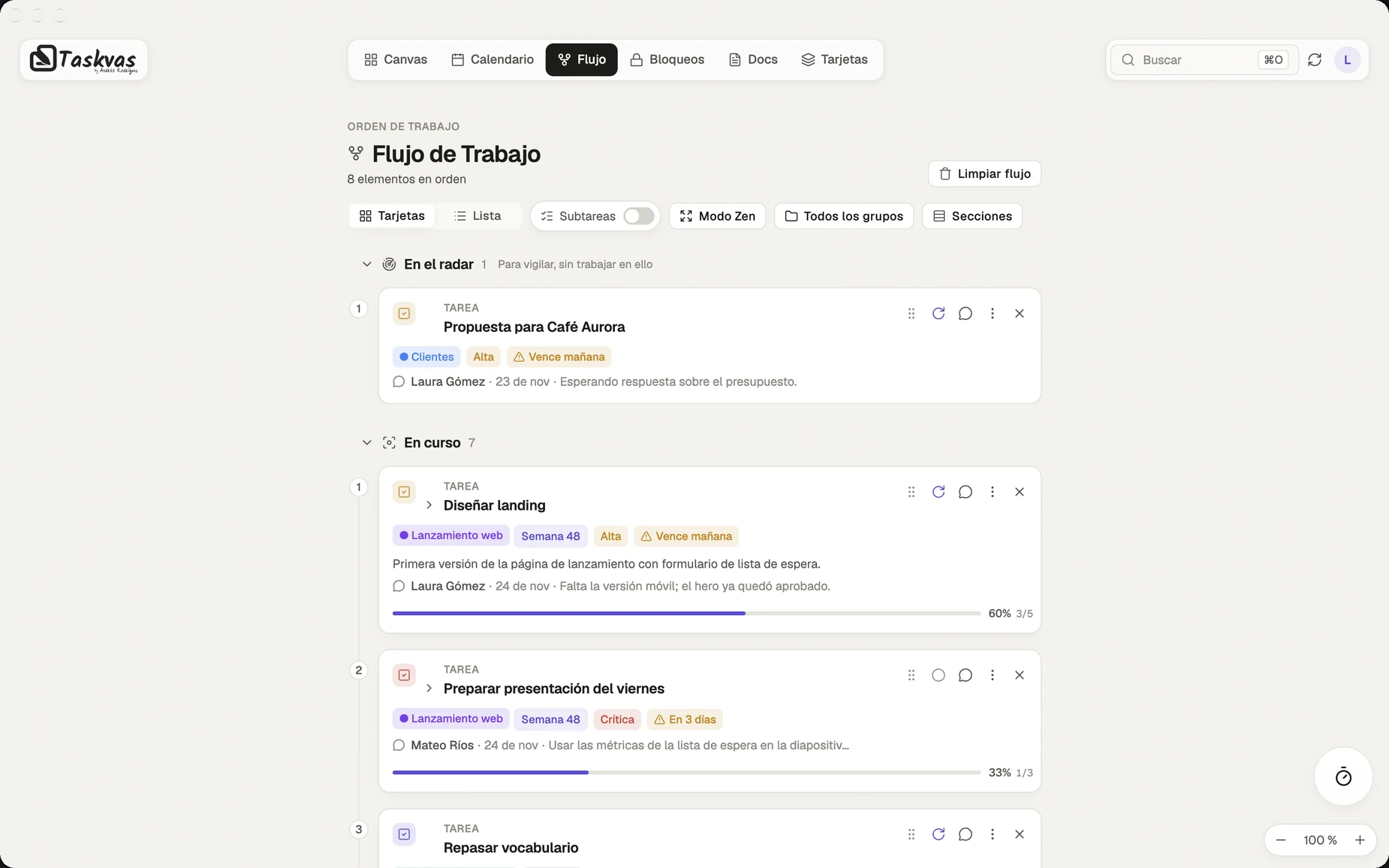
Taskvas Flow view on Mac
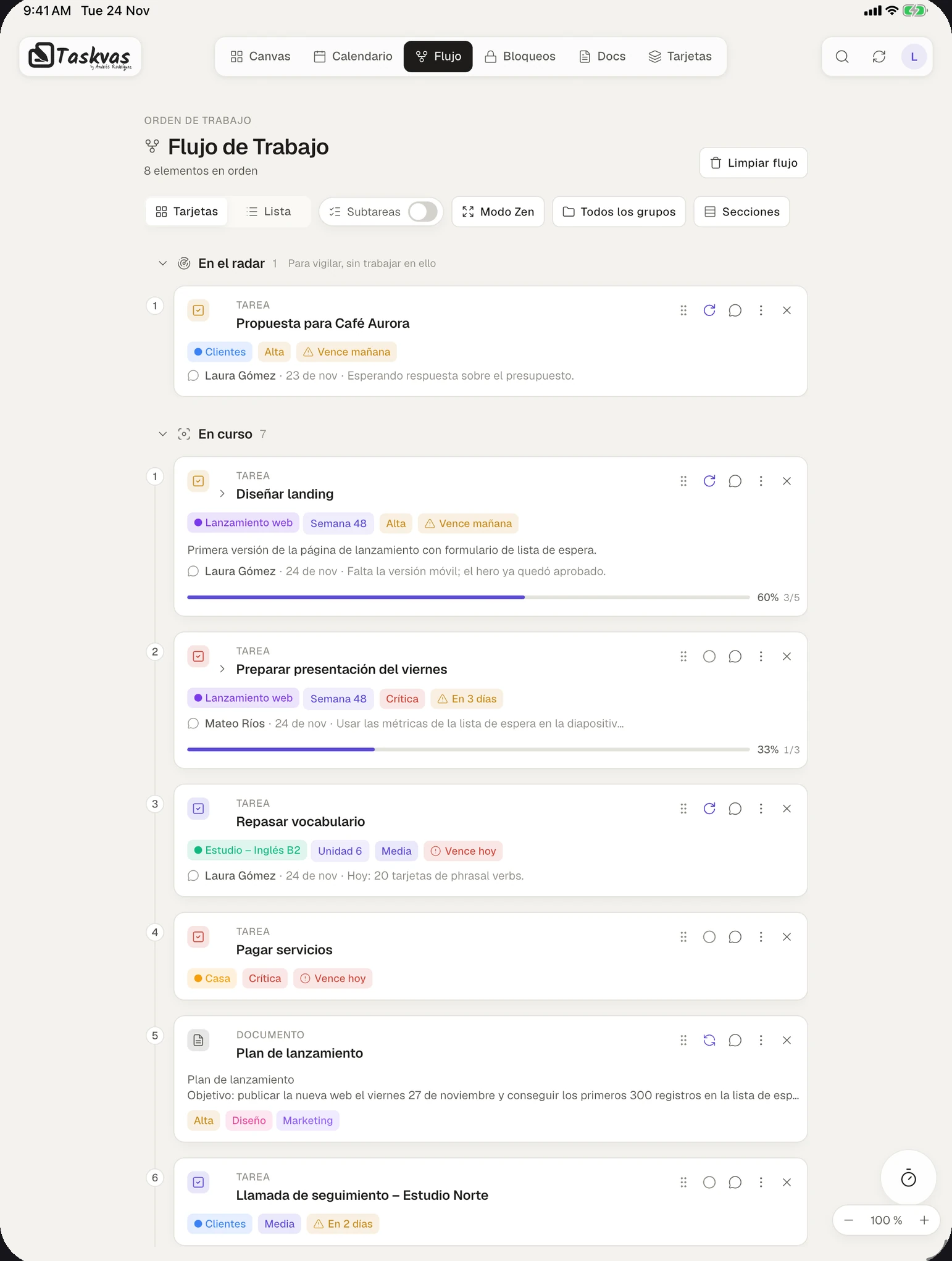
Taskvas Flow view on iPad
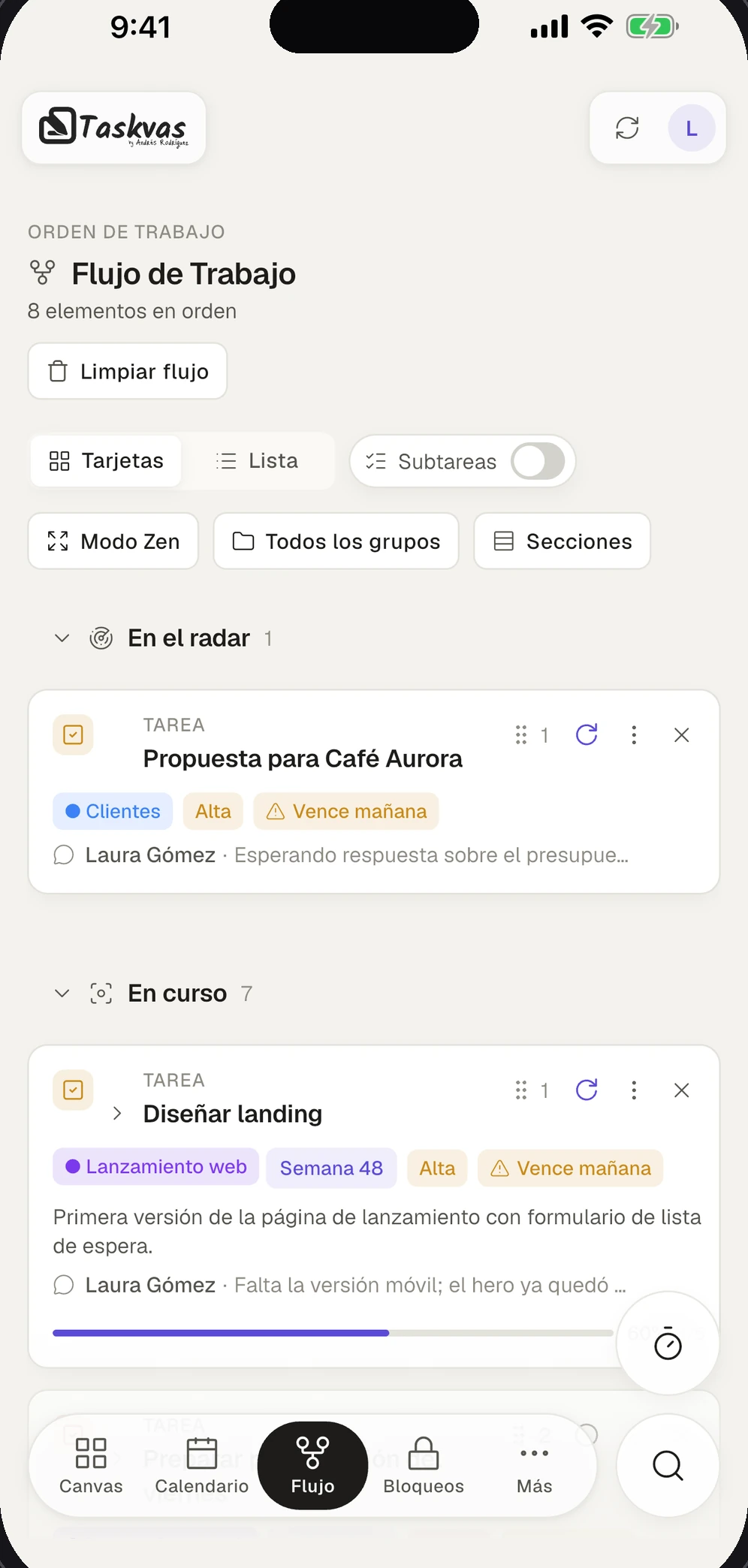
Taskvas Flow view on iPhone
The same task, at the same time, on Mac, iPad and iPhone. Screens and clips show the app in Spanish, its only language for now. English is on the way.

Organize

Every project, in plain sight.

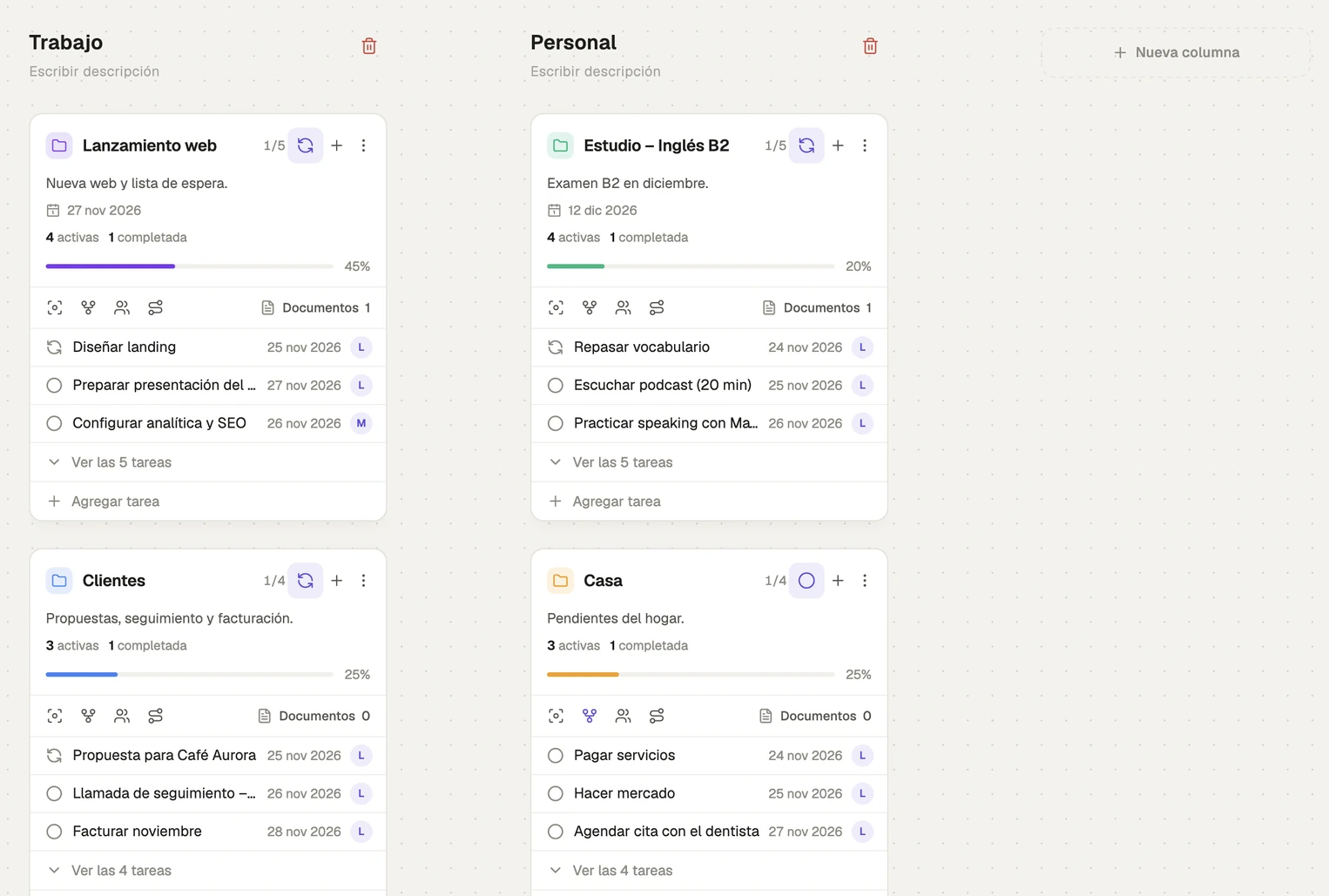
Taskvas canvas with task groups arranged in columns

A canvas with your groups in columns

Each project is a group with its own tasks, dates, owners and progress. Arrange them in columns and see them all at once.

  • Columns to keep work and personal life apart
  • Active tasks and progress for every group
  • Each group’s documents, one click away
Try it

Tasks that break down

Subtasks, custom statuses, urgency, dates, tags and owners.

Task · Website launchDesign the landing page
Status
Urgency
↑ High
Owners
LGMRLaura, Mateo
Subtasks2/4
Try it

See what’s holding you back

Flag the tasks that are blocking progress, note why, and review them together.

2 tasks blocked
Set up analyticsWaiting on client access
Publish the websiteMobile version still needs sign-off

Sprints

Plan in cycles and track how each one is going.

Your week at a glance

Month, week or agenda, by person or by group. And if you like, your Google calendars right next to your tasks.

Collaborate

Your team, on the same page.

Try it

Roles and permissions per group

Share a group, and everyone sees and does exactly what’s theirs.

Website launch 4 members
  • Laura GómezOwner
  • Mateo Ríos
  • Sara Pinto
  • Your assistantYour permissions
Try it

Documents next to your tasks

Read each project’s documents, written and kept up to date by your assistant.

Document · Website launch
Launch plan

Ship the new website on Friday the 27th and reach the first 300 sign-ups.

Updated by your assistant · 1 h ago
Try it

Flashcards

Decks for each group, reviewed at your own pace. Your progress is yours alone.

Spanish B2 6 to review

Focus

Today’s work, without the noise.

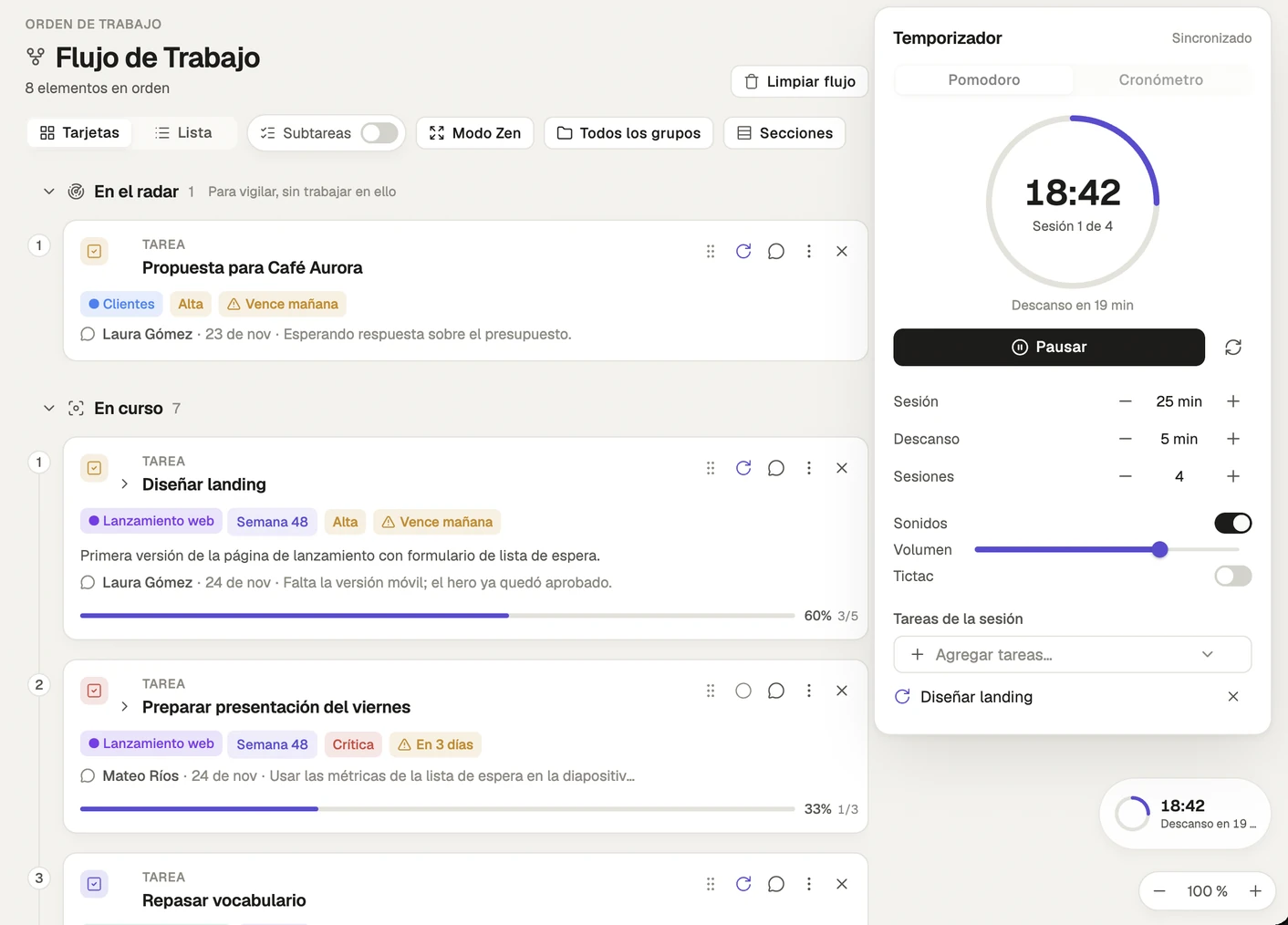
Taskvas Flow view with the Pomodoro timer linked to a task

Pomodoro, linked to your task

Choose Pomodoro or the stopwatch and link each session to the task you’re on. The timer stays in sync across your devices.

  • Sessions and breaks that fit the way you work
  • The session’s tasks, always at hand
  • Keep an eye on the clock from any device
Try it

What to do now, what to watch

Flow lays out your day: what’s in progress and what’s on your radar.

In progress 2
  • Task Design the landing page
    Website launchHigh
  • Task Prepare Friday’s presentation
On your radar 1
  • Task Proposal for Café Aurora
Try it

Pomodoro or stopwatch

Start a session and focus on one thing.

18:42Session 1 of 4
Design the landing page
Try it

Find anything with ⌘O

Tasks, groups and documents in an instant, right from the keyboard (Ctrl+O on Windows and Linux).

Widgets on Android

Your flow, your agenda and the timer on your home screen.

Connect your AI

Your assistant works alongside you.

Taskvas doesn’t come with an assistant of its own: you connect yours through MCP, with your account and your permissions.

Try it

It tells you when it needs you

Your assistant flags each task with a signal: it needs your review, it’s waiting for your reply, it’s working, or it’s done.

AI alerts 1 1 1
Needs you · reviewDesign the landing page

I tightened the spacing on the mobile version. Can you take a look before we publish?

Design assistant · 4 min ago
WorkingPrepare Friday’s presentation

Building the slides with the waitlist numbers.

Research assistant · 20 min ago
DoneReview vocabulary

20 new Spanish flashcards are ready for today.

35 min ago

Connected through MCP

Your assistant searches, reads, creates and updates your tasks, and writes your documents.

Available on

Change something on one device and it shows up on the others instantly.